
A warning before the list: most "best IPTV player for Samsung" articles you'll find are advertisements for one specific app. The format is always the same — five players get lukewarm reviews, one gets ranked first with a glowing writeup, and that one happens to be the app the site is selling. Once you notice the pattern you'll see it everywhere.
So here's the honest version. On Tizen you don't have many options, none of them is brilliant, and the right choice depends mostly on what your regional store actually offers you today.
The Tizen reality
Three constraints shape everything below.
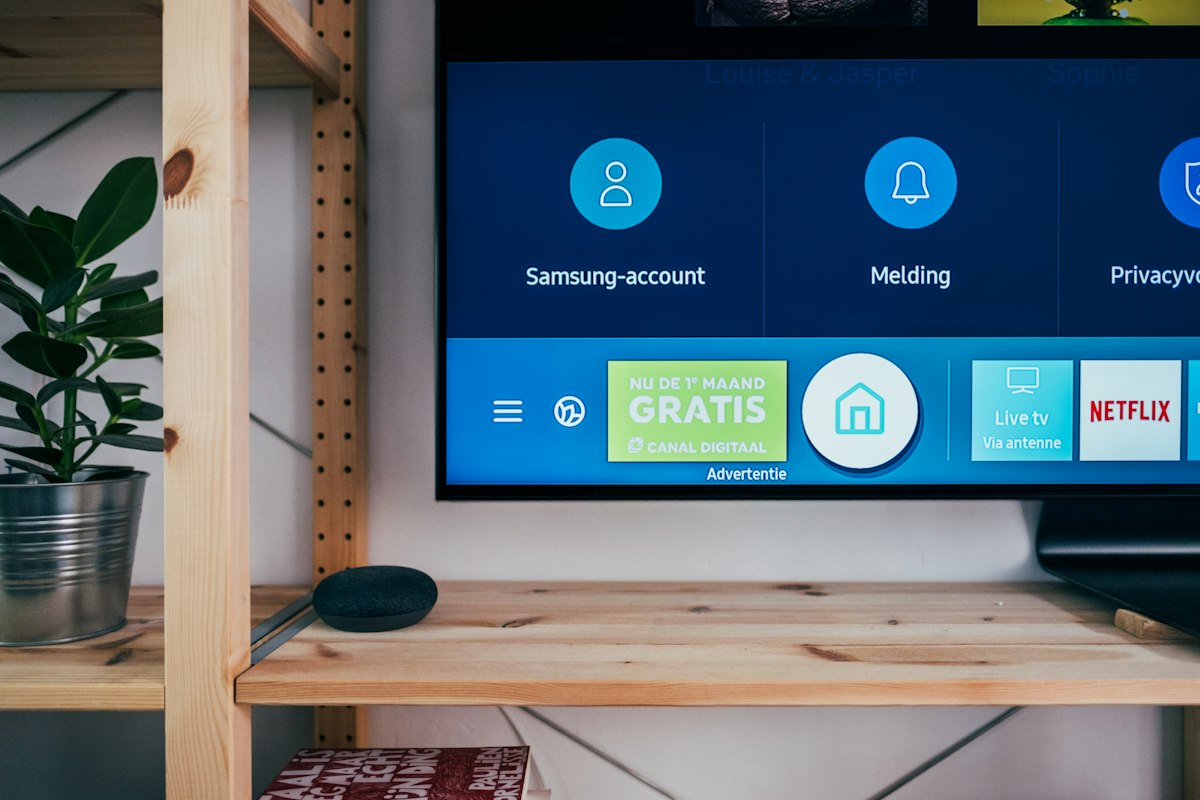
You can only install what's in the Samsung store. No sideloading in any practical sense. TiviMate, IPTV Smarters Pro and XCIPTV — the apps everyone recommends — are Android apps and will never run on a Samsung TV.
Samsung removes IPTV apps periodically. Availability varies by region and changes without notice. An app recommended in an article from last year may simply not be in your store.
Almost all of them charge their own licence. Usually a small one-time or yearly fee, per TV, paid to the app developer — separate from your subscription. Quoted prices are inconsistent across sources right now, so check the app's own portal rather than any blog.
The players worth knowing
| App | Licence | Guide (EPG) | Setup | Notes |
|---|---|---|---|---|
| IBO Player Pro | Paid, per device | Depends on provider | MAC + device key | Current default. Fast, stable, 4K |
| IPTV Smarters Player | Free where available | Basic | Xtream Codes on TV | Closest to the Android app. Patchy availability |
| Smart IPTV (SIPTV) | Paid, one-time | Very limited | MAC upload on website | The old standby. Dated but reliable |
| SS IPTV | Free | Basic | Pairing code | Genuinely free. Light on old TVs |
| Set IPTV / Flix IPTV | Paid | Basic | MAC + portal | Fallbacks when others aren't listed |
| OTTPlayer | Free | Limited | Account-based | Syncs across devices |
IBO Player Pro
If you want a default answer, this is it. It's the most widely available Tizen player, setup takes a couple of minutes through the MAC-plus-device-key flow, and it handles 4K without complaint.
Its weakness is the guide. There's no strong built-in EPG, so what you see depends entirely on what your provider sends. If the guide matters to you, know that going in.
Best for: most people, most of the time.
IPTV Smarters Player
Worth trying first if it appears in your store, because it takes credentials directly on the TV — no MAC registration, no separate website, no licence fee where it's free. That's a genuinely simpler path.
The catch is availability. It's absent from a lot of regional stores, and there's nothing you can do about that beyond a store region reset.
Best for: anyone whose store has it, and anyone who also uses Smarters on a phone or laptop.
Smart IPTV (SIPTV)
The one that's been on Samsung TVs the longest. You upload your playlist by entering your TV's MAC address on the developer's website, pay a small one-time fee, and it works.
It also hasn't meaningfully changed in years. Minimal guide, no recording, no search, an interface that looks its age. It's not broken — it's just from an earlier era.
Best for: a second TV, an older set, or someone who wants the cheapest permanent option.
SS IPTV
Free, light, and setup is a pairing code rather than a MAC registration, which is less fiddly.
Basic in every other respect. But free means you can try it with no commitment, and on a 2016-era TV that struggles with heavier apps it may run better than anything else here.
Best for: testing before paying for anything, and older hardware.
The rest
Set IPTV and Flix IPTV are similar to IBO in approach and exist mainly as alternatives when your store doesn't carry the others. Nothing wrong with either.
OTTPlayer works on an account model rather than per-device MAC registration, which is nicer if you run several TVs.
You'll also encounter newer names ranked first on comparison sites. Treat those rankings carefully — see the opening paragraph. If one interests you, look for discussion somewhere that isn't selling it.
Which to use with MegaOTT
All of them accept Xtream Codes or M3U, so all of them work.
Practical order: try IPTV Smarters Player if your store has it, since it's the simplest. Otherwise IBO Player Pro. If neither is available, SS IPTV free to confirm your credentials work, then Smart IPTV or Set IPTV as a permanent option.
The comparison nobody makes
The honest comparison isn't between these six apps. It's between all of them and a £30 Android box.
Every player above is a compromise. The guides are weak, recording mostly doesn't exist, channel management is limited, and you pay a licence per TV. TiviMate on a cheap Android box plugged into the same Samsung gives you a dramatically better experience for roughly the cost of two app licences.
What you lose is convenience — another box, another remote, an HDMI input to switch to.
If that trade sounds fine, take it. If the whole appeal was not having another box, then IBO Player Pro is your answer and it'll do the job.
FAQ
Why isn't TiviMate on Samsung?
It's an Android app. Samsung TVs run Tizen. Different platform entirely — not a licensing decision.
Why do I pay for the app and the subscription?
Tizen players come from independent developers who charge their own licence. It's unrelated to your subscription and there's no way around it on Samsung.
Which has the best programme guide?
None are strong. On Tizen the guide mostly depends on what your provider sends rather than on the app.
Can I move my licence to a new TV?
Usually not. MAC-based licences tie to the specific TV, so a new set generally means paying again.
The app I want isn't in my store.
Regional availability. Try the alternatives above first; a Smart Hub reset with a different region is the fallback, but it signs you out and clears your apps.
Is a free player good enough?
For confirming your credentials work, yes. As a daily player, SS IPTV is usable but basic.
Next
Not set up yet? Start with the Samsung setup guide, which covers the MAC address step where most people get stuck.
Set up but not working? Our Samsung troubleshooting guide covers empty channel lists, missing apps and buffering.
Last updated: September 2026. Samsung store availability changes without notice.